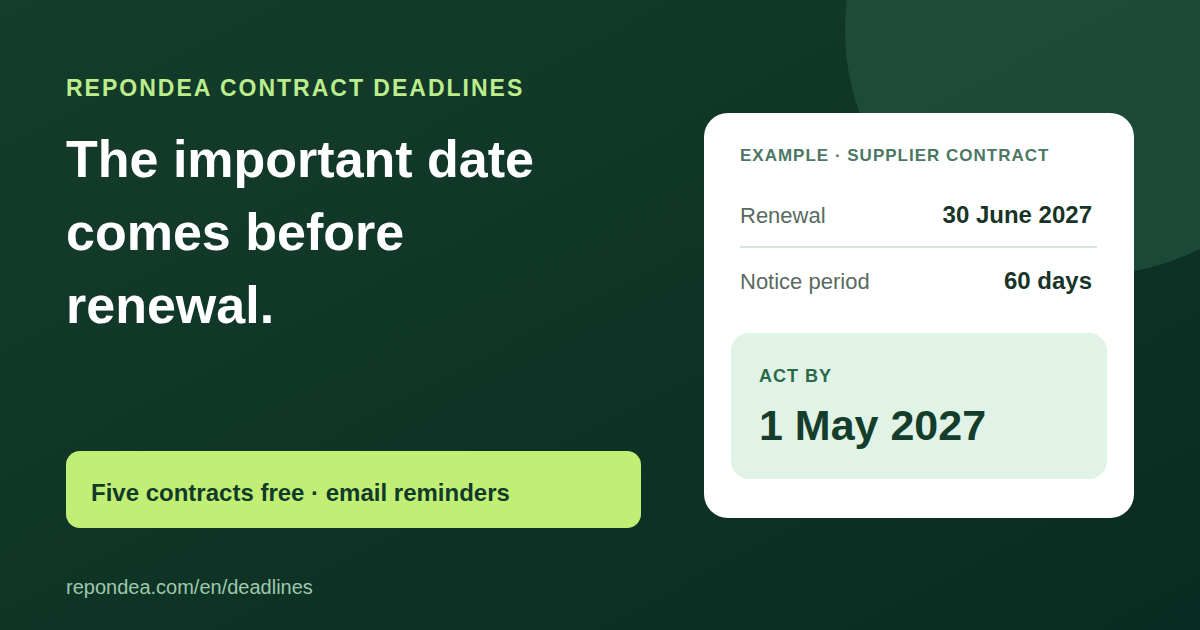
The important date comes before renewal.
A contract renews on June 30 with 60 days’ notice? Your decision is due before May 1. Track the notice deadline and receive email reminders.
Track my first contractFive contracts free. Up to 20 for €9/month.
Calculate a deadline for free
Example: June 30 renewal − 60 calendar days = May 1 notice deadline.
The renewal date may be too late
A renewal date on a calendar can make an agreement look comfortably far away. If the contract requires advance notice, the last day for action comes earlier. A June 30 renewal with 60 calendar days of notice produces a May 1 notice deadline by simple subtraction. A reminder on June 29 would be too late for that date. Contract Deadlines puts the notice deadline first while keeping the renewal date visible so you can check the calculation yourself.
You enter the notice period stated in your agreement. The free calculator subtracts those calendar days from the renewal date and displays the result. You can use it without an account: choose a date and a period to see whether the information helps. If your clause uses business days, the end of a month, a particular method of notification, or several deadlines, check those terms separately. The calculator does not read the contract or replace your review.
One view for the contracts you choose to track
To keep a date, enter your email address and open the access link you receive. Then add a contract name, its renewal date and its notice period in calendar days. The dashboard calculates the corresponding notice deadline and sorts contracts by that date. You can see what is approaching without searching through several documents or calendars. When an agreement no longer needs tracking, you can remove its entry from the dashboard; that does not change the agreement itself.
When might this help?
Supplier agreement. You have a renewal date and a notice period if you want to renegotiate or change providers. Enter the two values from your agreement, then keep the notice deadline visible. The reminder tells you when it is approaching; it does not decide whether renewal is right for you.
Annual business subscription. Software or another service is billed each year, but the decision may be due weeks before the next charge. Saving only the renewal date can leave too little time. The notice date is a prompt to review usage and cost before that window closes.
Recurring service or maintenance. Several agreements end on different dates. Give each a clear name and review them in notice deadline order. The service has a deliberately narrow role: remind you when to check and act. It does not write to the provider or change any clause.
What the reminders do
For each saved contract, Contract Deadlines schedules an email 30, 7 and 1 day before the notice deadline and another on that day. If you add a contract after one of those points, a past reminder is not sent retroactively. The message repeats the values you entered so you can compare them with your agreement. Emails go to the address used for access. Check that you receive them and keep your own tracking method for decisions that matter to your business.
A reminder is not notice to the other party. Contract Deadlines does not contact your counterparty, cancel anything or establish that a message meets the form required by a clause. You must check the dates, delivery method and recipient, then act under your own agreement. The tool makes a calculated date visible; the decision and the next step remain yours.
Five contracts free, twenty with Pro
Five contracts and their email reminders are free. Pro raises the limit to twenty contracts for €9 per month, with the same reminders. The public calculator remains available without signup. Pro lets you track more contracts; it does not add automatic PDF reading, legal analysis or a cancellation service. Stripe handles payment and subscription management.
Track my first contractFrequently asked questions
Do I need an account to calculate one date? No. The calculator at the top of this page displays a result without signup. To save contracts and receive reminders, enter your email address and open the access link. This flow does not require a password.
Does the calculation handle business days? No. It subtracts calendar days using a notice period you enter between 0 and 730 days. A clause that follows another rule requires your review. The calculated result never replaces the terms of the contract.
What happens after five contracts? You can upgrade to Pro and track up to twenty, or remove an entry from the free dashboard. Both plans use the same reminders. Pro costs €9 per month.
Can you read a PDF or cancel a subscription for me? No. You enter names and dates yourself; no PDF is imported or interpreted. The tool does not send notice or a cancellation request.
What information do you store? Your email address is used for access and reminders. For each contract, you enter a name, renewal date and notice period. You can request access to or deletion of your data at [email protected].
Track my first contract
We store your email and the contract names and dates you enter to send reminders. Stripe handles payments. Request access to or deletion of your data at [email protected].