 Repondea
01
Write the answers once
Start with opening hours, shipping, setup steps or a public policy. Add a source link when it helps. Your FAQs are public.
Give your assistant the answers you trust. It recognises visitor questions and shows the exact text you approved. Your team keeps the requests that need a person.
10 FAQs · 30 questions/month · No card · No API key
Start with opening hours, shipping, setup steps or a public policy. Add a source link when it helps. Your FAQs are public.
Try how your customers really phrase questions. Check which answer is selected and what goes to your team. You approve every word.
Publish a link or embed the assistant on your website. A WordPress plugin adds a button without editing theme files.
No new wording slips into a customer answer. AI chooses from your approved list; an uncertain match goes to your team. It can select the wrong FAQ: test real questions before using it on your site.
A public answer works at any time, even when your team is busy. A personal request needs a person: the assistant shows your contact link instead of guessing.
Create my free assistant →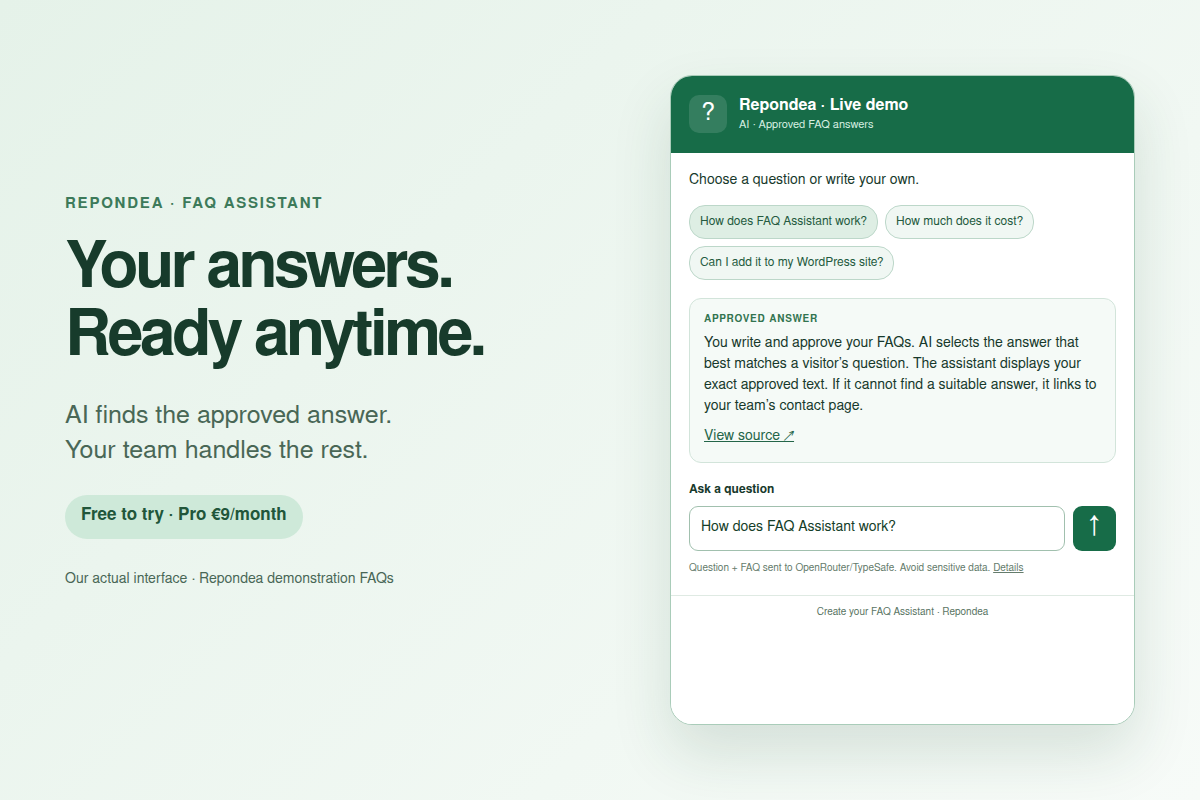
Explain a setup step, a plan limit or a public support procedure. Keep account access and incidents with your team.
Answer public shipping and return questions. A specific order or refund request goes to your contact page.
Show opening hours, the information needed for a quote or how to reach the right person. No appointment is booked automatically.
Try free first. Upgrade from your account. No automatic extra charges.
On WordPress, use our plugin or a Custom HTML block. On another site, paste the iframe snippet. Your public assistant link also works on its own.
Download WordPress pluginDirect ZIP installation is available. WordPress.org publication depends on its review; no directory approval is claimed.
Create my free assistant →We email a single-use sign-in link. Already have an account? Use this same form.
No. AI selects one of your approved FAQ answers. The displayed reply is that exact text. A source link can be shown below it. Selection can still be wrong, so test your FAQs and keep your contact page available.
The scope is deliberately small: approved FAQs and a contact fallback. There is no document crawler, order lookup, inbox access, CRM action or automatic refund. You get a simple assistant for one recurring task, with a visible monthly price.
This first version accepts questions and answers you write yourself. You may add HTTPS links to public source pages. It does not read those pages or import PDFs.
The account and demo are available in French and English. The assistant displays the approved answer in the language you wrote it. It does not translate your answers automatically.
The assistant displays an unavailable message and offers your contact link. The failed question is returned to the monthly quota. Questions do not wait in a background queue and no extra plan is charged automatically. Your approved FAQs remain saved for when the service returns.
Provide your team’s HTTPS contact page when you configure the assistant. A visitor can follow that link when no approved answer fits. This version does not send a ticket or create a customer service conversation; your existing contact channel receives the request.
AI replies stop and the contact link stays available. There are no automatic top-ups. Free has 30 questions and Pro has 1,000 questions per calendar month in UTC. Repeated questions and questions without a match count too.
No API key is needed. Create the free account with a verified email, add FAQs and test. A card is needed only if you choose the €9/month Stripe subscription. You can manage or cancel it from your account.
Yes. Edit or remove a FAQ from your account; new questions use the current approved answers. You can unpublish your assistant at any time.
No. It uses the public assistant ID you choose and loads the assistant after a visitor opens it. Your questions and FAQ texts are processed by the service as described in the privacy notice. No automatic site crawl or conversation tracking.
Start with one real question. Check the answer, then publish.
Create my free assistant →